
/
/
Digital Signage
Digital Signage
Transform School Communication with Campus Wide Digital Signage
Campus Wide Digital Signage lets school staff manage announcements, lunch menus, event calendars and spirit messages on every display from one dashboard, using the screens, computers or tablets you already have.
- Digital Signage Solution
- Real-time Updates
- Lunch & Event Boards
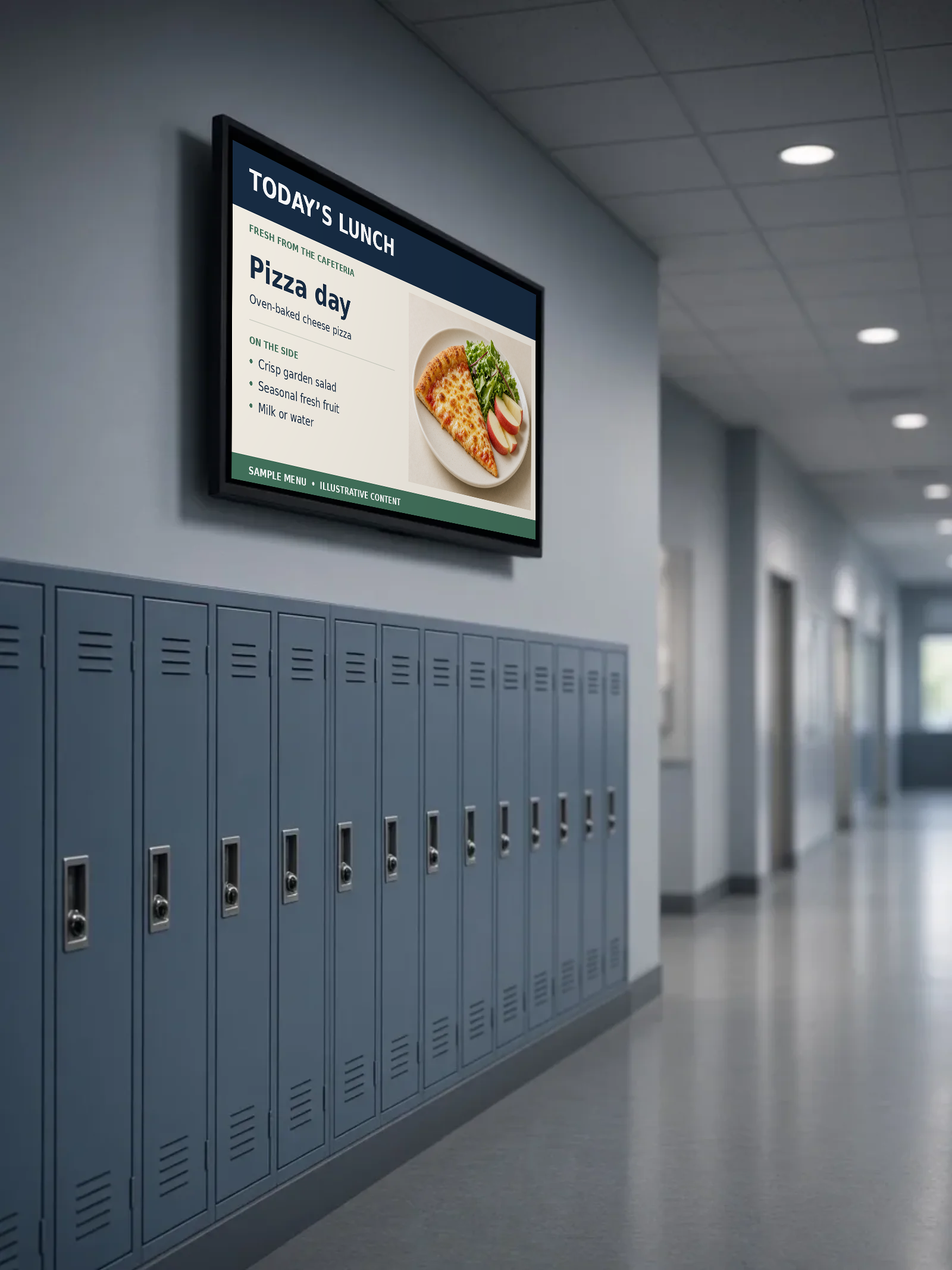
Main Office display · Sample schedule
- 7:45Morning announcements
- 11:00Lunch menu
- 2:50Dismissal reminders
- 3:15After-school activities
What is digital signage for schools?
Digital signage for schools is a system for showing announcements, schedules and daily info on screens around a building. Campus Wide Digital Signage lets office staff manage and schedule content across every display from one dashboard, and target lunch menus, calendars and messages to areas like the cafeteria, gym or main office.
Digital Signage works alongside Event Management, Event Ticketing and Fundraising Software, all in the same Campus Wide dashboard.
Key Features
What Digital Signage does for your school
Multi-Display Management
Control 5 or 50+ displays from one simple dashboard. Group displays by location (cafeteria, gym, main office) and send targeted content to specific areas. Perfect for different grade levels or building wings.
Smart Scheduling
Set up content to change automatically throughout the day. Morning announcements, lunch menus, dismissal reminders, and after-school activities display at the right times. No manual updates needed.
Lunch & Event Boards
Push today’s lunch menu, game-day schedules, spirit week themes, and club reminders to every display — or just the cafeteria and gym — in a few clicks.
Simple Analytics
See which announcements get the most attention and when students are most engaged. Easy-to-read reports help you improve communication and justify your technology investment to administrators.
How It Works
Simple 3-step process
- 1Upload & OrganizeDrag and drop images, videos, and text announcements into our user-friendly dashboard. Create content once and use it across multiple displays. No technical expertise required — your office staff can manage everything.
- 2Schedule & AutomateSet up automatic content rotation based on time, day, or events. Morning announcements, lunch menus, and after-school activities display automatically. Make changes instantly from anywhere.
- 3Publish & ReviewUpdate menus, calendars, and announcements from anywhere. Track which content gets the most attention and keep students, staff, and visitors informed.
Why Campus Wide
Built for the way schools work
Built for every space
Templates and scheduling that fit schools, restaurants, venues, and retail floors — calendars, menus, announcements, and promos on the screens you already own. No complex setup required.
Easy Integration
Works with any display, computer, or tablet you already have. Connect to your school calendar, student information system, and existing networks. No expensive hardware upgrades required.
Reliable
Cloud storage with offline backup ensures your content always displays, even during internet outages.
FAQ
Digital Signage questions
Does it work with our existing screens?
Yes. Campus Wide Digital Signage works with any display, computer or tablet you already have, so no expensive hardware upgrades are required.
Can different areas show different content?
Yes. Group displays by location, such as the cafeteria, gym or main office, and send targeted content to specific areas, grade levels or building wings.
Can content change automatically during the day?
Yes. Schedule content by time, day or event, so morning announcements, lunch menus, dismissal reminders and after-school activities display at the right times.
Can we show different lunch menus and calendars by location?
Yes. Group displays by cafeteria, gym, main office, or wing, and schedule lunch menus, event calendars, and announcements for each area.
Do staff need technical expertise?
No. Drag and drop images, videos and text announcements into the dashboard, so office staff can manage everything.
Ready to Transform Your School’s Communication?
Schedule a free demo and see how easy it is to set up professional displays that engage your entire school community.